The Revolutionary Web Developer Cheat Sheet for UI Designers
HTML and CSS Cheatsheet
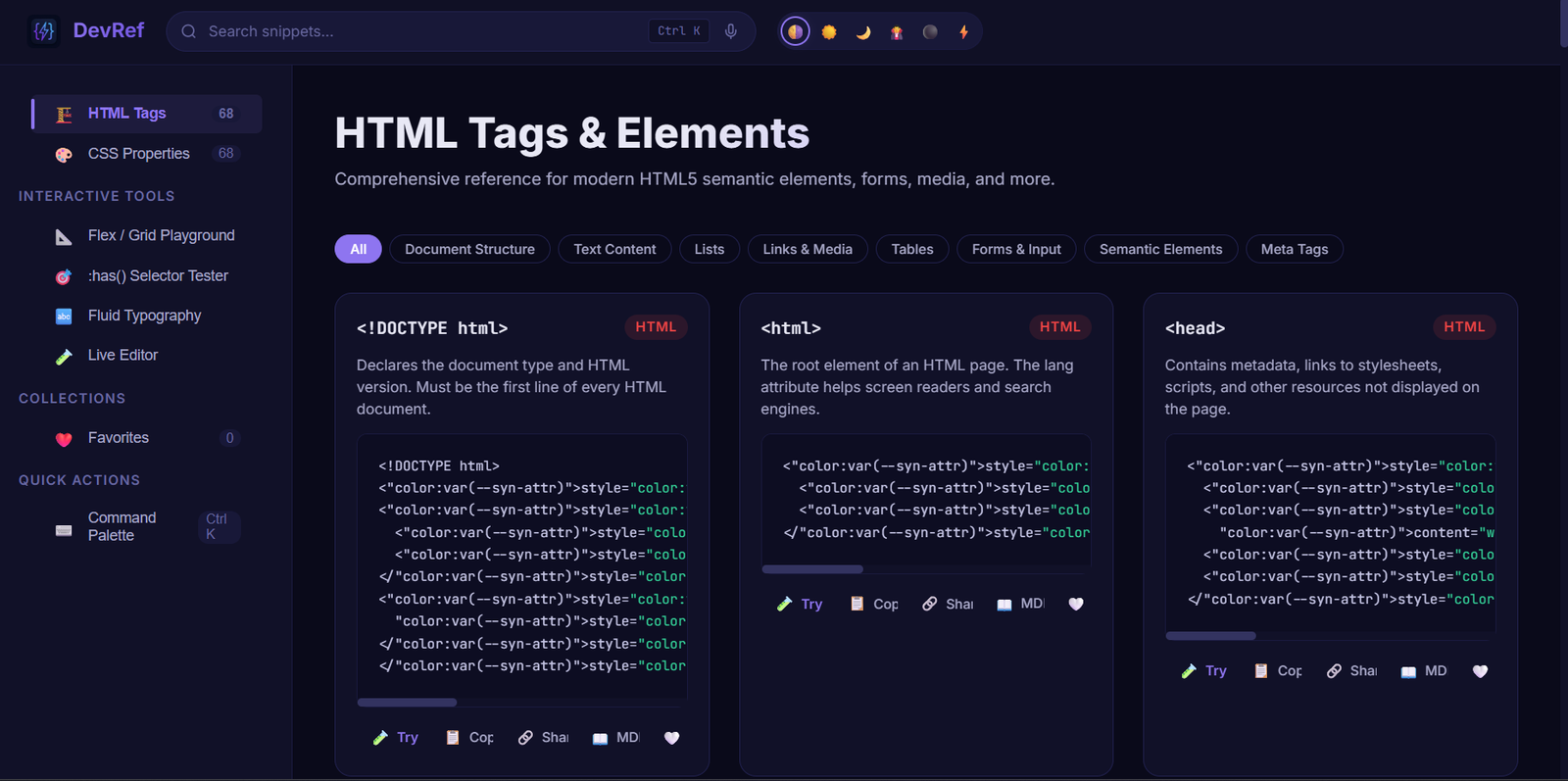
The ultimate interactive coding companion for web developers and UI designers. Stop memorizing tedious syntax and start building. This is not a static PDF—it is a complete interactive system designed to automate your workflow.
-
Built-in IDE: Test HTML and CSS in real-time, right in your browser.
-
PWA Ready: Works completely offline with instant copy-and-share functionality.
-
Visual Generators: Instantly output complex Flexbox, Grid, and fluid typography code.
Smart Search: Voice-activated and command-palette ready for lightning-fast answers.Elevate your workflow with the Revolutionary Web Developer Cheat Sheet. Engineered specifically for web developers, web site designers, and UI designers, this interactive tool eliminates coding guesswork. Test snippets in a built-in offline IDE, generate complex CSS visually, and use voice-activated smart search to find the exact syntax you need instantly.
About This Theme
Are you tired of constantly forgetting complex code syntax? Whether you are an experienced web developer, one of the many creative web site designers, or a beginner looking to learn to code for income or a hobby, coding can sometimes be an incredibly tedious process. You often have to go line by line to see exactly how everything lines up. Furthermore, it is incredibly easy to forget proper syntax or struggle to find the exact code for a specific website effect.
Enter the Revolutionary Web Developer Cheat Sheet to the rescue. Unlike traditional static documents, this interactive tool is built specifically to streamline your entire coding workflow. Therefore, it is the ultimate resource for anyone building modern websites efficiently.
Why This Revolutionary Web Developer Cheat Sheet Stands Out
Building modern websites requires modern, efficient tools. Consequently, we designed this cheat sheet with advanced Progressive Web App (PWA) capabilities and interactive elements that function right in your browser. It takes the guesswork out of design.
1. Interactive PWA-Specific Features
You do not need to be tethered to an active internet connection to write great code. Our platform offers several offline and mobile-friendly features to keep you working from anywhere:
-
Offline Sandboxing: By utilizing advanced service workers, you can cache code snippets directly. This means you can use our lightweight live-preview panel to test HTML and CSS tweaks entirely offline, for instance, while on a flight or a train.
-
One-Tap Copy & Share: We implemented the native Web Share API and
navigator.clipboard. As a result, you can quickly send code snippets to your desktop or a coworker with a single tap. -
Home Screen Widgets: Enable PWA installation so you can effortlessly pin a "Snippet of the Day" widget straight to your mobile or desktop home screen.
2. Next-Gen Dev Tools Built-In
Instead of just reading about code, you can now generate it dynamically. UI designers and developers alike will particularly love these visual tools because they eliminate guesswork entirely:
-
Visual Flex & Grid Generator: Instead of staring at lists of properties, simply tap buttons to toggle
flex-directionorgrid-template-columns. Watch a visual box layout update live, which generates the precise code instantly. -
Native
:has()Selector Tester: CSS parent selectors can be confusing to master. To solve this, we created an interactive DOM tree where you can toggle states to see exactly how the:has()selector behaves in real-time. -
Fluid Typography Calculator: Stop guessing font sizes across different devices. Use our responsive text slider to instantly output custom CSS
clamp()values based on your minimum and maximum screen sizes.
[Insert Image Here: A graphic showing the fluid typography calculator in action. Image Alt Text: Using the revolutionary web developer cheat sheet to calculate fluid typography.]
Smart Search and Answer Engine Optimization (AEO)
In today's fast-paced tech landscape, developers find information differently than they did five years ago. Because of the rapid rise of AI, we structured our cheat sheet's search engine using principles of Answer Engine Optimization (AEO). As detailed in this comprehensive guide to getting cited by AI, structuring data for quick answers is the future.
Additionally, we embrace Generative Engine Optimization (GEO) to ensure our snippets are instantly accessible and easy to digest for all users.
-
Command Palette (Ctrl + K): Desktop users can launch a lightning-fast keyboard shortcut navigation menu. Jump to any HTML tag or CSS property in milliseconds.
-
Voice Search: We integrated the Web Speech API. Now, when your hands are busy coding, you can simply say "CSS aspect ratio" or "HTML dialog tag" to instantly bring up the right snippet.
-
Dark Mode Synchronization: The platform automatically matches your system preferences using CSS media queries (
prefers-color-scheme). Moreover, we offer custom themes like "Dracula" and "One Dark Pro."
Experience Built-In Interactive IDEs Today
The absolute best way to learn is by doing. That is exactly why this revolutionary web developer cheat sheet includes interactive IDEs built directly into the platform. You can try CSS, HTML, and advanced features directly inside your browser. Alternatively, you can download the application to use it offline whenever inspiration strikes.
Stop wasting valuable time searching for basic syntax. Boost your productivity and elevate your design skills today. When you are ready to scale up your business operations, explore our premium web templates, automation tools, and systems at www.jontgeek.com.